Make a Russian International Passport Photo Online
Applying for a Russian international passport (zagranpasport)? The 5-year passport takes three printed 3.5 × 4.5 cm photos, and the same photo is attached as a file to the Gosuslugi application for both the 5-year and the 10-year passport. Make it here in two minutes.
Make my passport photo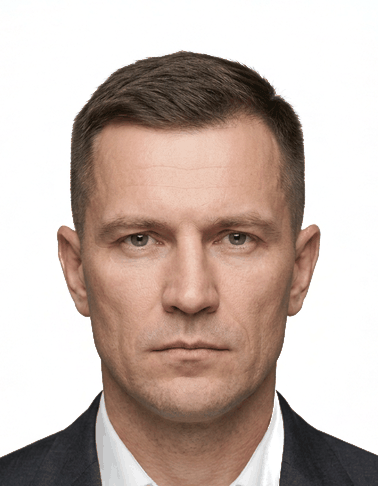 Ready to print
Sized to 3.5 × 4.5 cm with the head no more than 80% of the frame, as MVD order No. 186 requires
White, even background and a straight-on pose with a neutral expression
Your photo never leaves your device: all processing happens locally in the browser
Print the sheet for the 5-year passport and save the file for the Gosuslugi application
How it works
Upload a photo
Take a photo with your phone or upload an existing picture from your device.
Adjust the framing
The generator crops the picture to the official size and automatically positions it on the face; slightly align it with the template and fine-tune the zoom, brightness and contrast.
Download or print
Download a digital copy or a print-ready sheet and print it at home or in any photo shop.
Official requirements
- Document: International passport (5-year)
- Exact photo size: 3.5 × 4.5 cm
- Printed photo — download a print-ready sheet or print at home
- Head height (chin to crown): 70–80% of the photo height
Frequently asked questions
For the 5-year passport, three printed photos (two for a child under 14), plus the photo file in the Gosuslugi application. For the 10-year biometric passport you are photographed at the MVD office, so only the file for the online application is needed.
Uniforms, outerwear and scarves covering part of the chin, retouching meant to improve your appearance, and coloured contact lenses that change your eye colour (order No. 186, p. 89.4–89.7).
Yes. The photo is processed in your browser and never uploaded to a server. No watermarks, no sign-up.
The MVD rules cover more than size. The background must be plain white. Keep a neutral expression with your mouth closed. If you wear glasses, they must have clear (not dark or tinted) lenses and leave your eyes visible. A head covering is allowed only for religious reasons, provided your face stays fully visible.